Alphacam add-in
GMacros Alphacam Package
Every GMacros Alphacam macro and add-in with one installer and one license key: GMacros Tools, Cabinet Door, Door, Cabinet, 3D Wave, Decor and NirvanaAI (20 generations).
Every macro and add-in, one license. One installer adds them all to Alphacam and one license key opens them all:
- GMacros Araçlar — inside Alphacam
- GMacros Cabinet Door — inside Alphacam
- GMacros Door — inside Alphacam
- GMacros Cabinet — inside Alphacam
- GMacros 3D Wave Panel — inside Alphacam
- GMacros Decor — inside Alphacam
- NirvanaAI — 20 generations every license year
The license starts on the day of purchase and runs on one computer. An Alphacam license is required separately.
Every macro and add-in in the package
All 45 tools opened by one key — beyond doors: cabinets, 3D wave panels, decor, helper tools and AI.
GMacros Araçlar (8) — Bead, slat, louvre and plain-panel doors; centring, direction change, arc length.
- Bead Door Design — Draws a series of bead (moulded) doors from a width × height list; edge allowance and gap between panels are fixed. Details
- Raised Panel Door Design — Generates the inner panel offset contours from the outer door size, with as many steps and tool directions as you set. Details
- Slat Door Design — Draws slat-grid door panels from edge margin, rebate margin, slat thickness and vertical/horizontal slat counts. Details
- Louvre Door Design — Draws a series of louvre doors from edge margin, bottom/middle rails and Z bottom/top values. Details
- Panel Door Design — Draws an interior door leaf from top/bottom/left/right stile-rail sizes and panel layout, then repeats it per the size list. Details
- Reverse Direction — Fixes the cutting direction and start point of the selected geometries in one click; contours are not redrawn. Details
- Centre & Align Objects — Aligns or centres the selected parts and texts in one of 9 directions relative to a reference. Details
- Measure Arc Length — Instantly shows the length in mm of the clicked geometry (arc, line, contour). Details
GMacros Cabinet Door (10) — Flat, framed and glass doors; hinge and handle holes, finger grooves.
- Flat Door — Draws a flat door rectangle at the given size, optionally with corner radius. Details
- Framed Door — Draws a framed door with its panel groove according to the stile width. Details
- Glazed Door — Draws the glass opening and the glass rebate pocket on a framed door. Details
- Louvred Door — Draws evenly spaced louvre slats inside a framed door. Details
- Handle Holes — Enter the door size; the door is drawn and the handle screw holes are placed symmetrically at the position you choose (edge centre, corner or centre). Details
- Hinge Cup Holes (Ø35) — Distributes Ø35 cup holes and screw holes evenly according to the door height. Details
- Push-Open Hole — Enter the door size; the door is drawn and the push-open mechanism hole is placed at the position you choose. Details
- Finger Groove — Draws the finger groove along the top edge for handleless doors. Details
- Edgeband Marks — Writes the edges to be banded as labels around the door so the operator reads it from the drawing. Details
- Door Size Calculator — Subtracts the gap from the carcass opening, calculates 1- or 2-leaf door sizes and draws them. Details
GMacros Door (3) — Interior door hinge and lock pockets, door decor.
- Door Hinge Pockets — Distributes 2–4 hinge pockets evenly along the door height and adds screw holes. Details
- Door Lock and Handle Holes — Places the lock body pocket, cylinder and handle-spindle holes on the door edge. Details
- Door Decorative Frames — Draws 1–4 decorative frame strips on the door face according to the edge margin. Details
GMacros Cabinet (9) — Sized parts, shelf sets, System 32 holes, back groove, labels.
- Sized Rectangular Part — Draws a single part at the given size, optionally with corner radius. Details
- Shelf Panel Set — Draws N identical parts laid out in rows according to the sheet width. Details
- Hole Array — Draws a regular hole array from column × row counts, spacing and the first hole position; checks the fit when a panel size is given. Details
- System 32 Shelf Holes — Draws front and back rows of 32 mm pitch shelf holes on a side panel. Details
- Hinge Cup (Ø35) — Distributes 2–5 Ø35 cup holes with screw holes according to the door height. Details
- Back Panel Groove — Draws the back panel groove on the chosen edge of the selected parts. Details
- Move to Layer — Moves the selected geometries to the layer you name; creates it if missing. Details
- Part Labelling — Writes prefix + sequence number (P1, P2 …) at the centre of the selected parts. Details
- Size and Sheet Report — Lists the sizes of the selected parts, total area and parts that do not fit the sheet; copies the report to the clipboard. Details
GMacros 3D Wave Panel (5) — Enter sizes; the wavy 3D panel surface and toolpath are ready.
- 3D Wave v1 — Fabric / Curtain Drape — Places a 3D surface model that looks like folded fabric, flowing lycra/silk or curtain pleats on the door; 10 models. Details
- 3D Wave v2 — Sand Dune / Wind Ripple — Turns wind lines and dune waves in sand into a 3D door surface; 10 models. Details
- 3D Wave v3 — Water Drop / Ripple Rings — Creates the rings spreading from a drop falling into water as a 3D door surface; 10 single-, double- and multi-point models. Details
- 3D Wave v4 — Hand-Carved Wood Texture — Puts carving textures such as hand-chiselled notches, gouge marks and wood-grain waves on the door as a 3D surface; 10 models. Details
- 3D Wave v5 — Acoustic & Geometric Panel — Produces geometric 3D panel surfaces such as pyramids, diamond facets, hexagons, origami and zigzag; 10 models for wall and acoustic panels. Details
GMacros Decor (4) — Baffle ceilings, kerf bending, separators and halftone patterns.
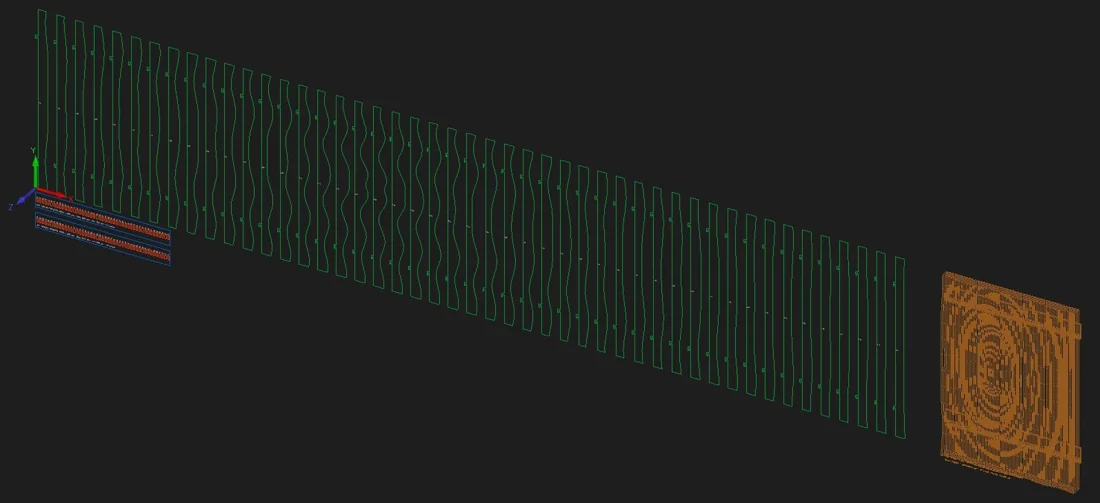
- Baffle Slat Wall / Ceiling — Draws wavy baffle slats, carrier rails and an assembly preview from the wall or ceiling size; works out the number of slats itself. Details
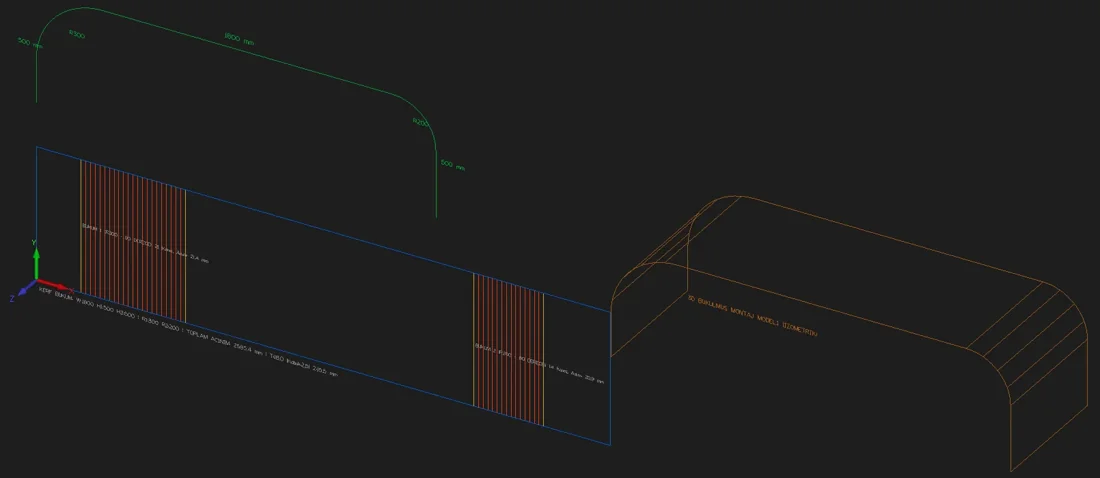
- Kerf Bending — Draws the kerf grooves that let a flat board bend: double-bend desk/counter, full cylinder column cladding or a single corner bend; the groove count and spacing are calculated. Details
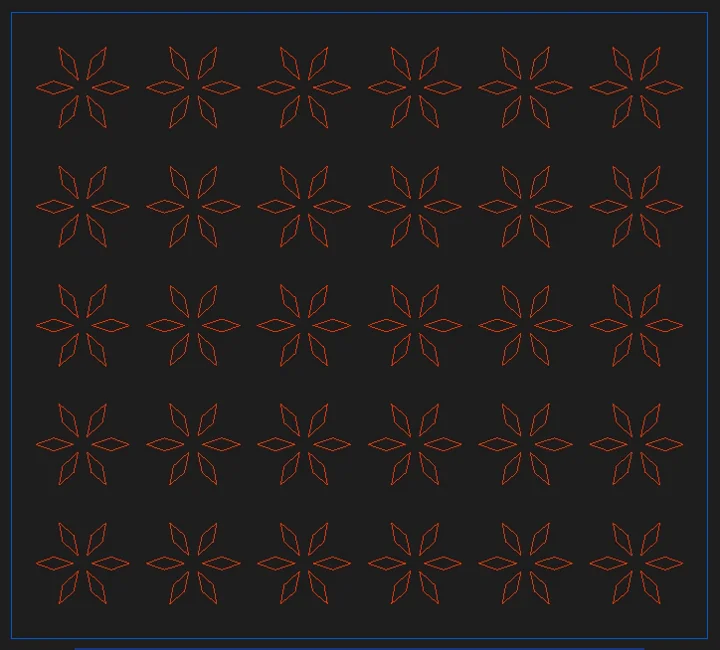
- Patterned Screen / Divider — Draws a patterned screen or room divider with a solid border from the panel size; 8 patterns, adjustable density and web thickness. Details
- Photo Engraving (Halftone) — Turns the photo you pick into geometry to engrave on a panel: V-groove lines that get deeper in dark areas, or a hole pattern that grows with darkness. Details
NirvanaAI (6) — Relief models from your description or a photo.
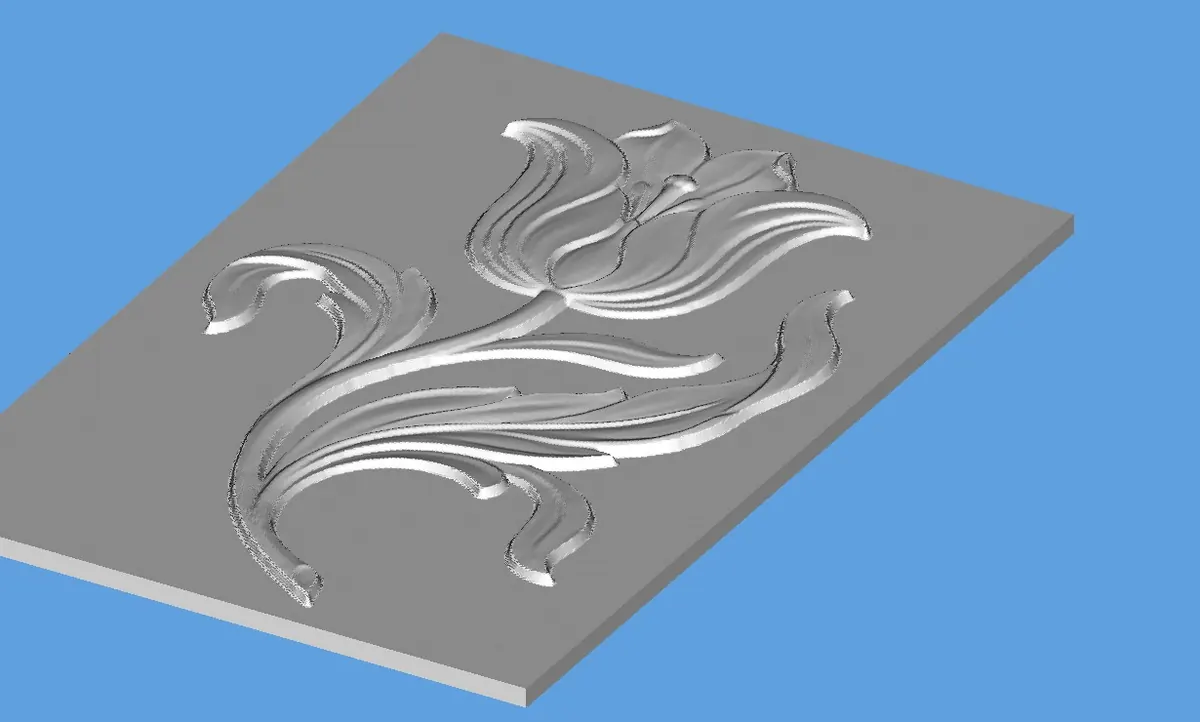
- Generate (Text to 3D) — Prepares the motif you describe as a relief 3D model and adds it to the drawing. Details
- 3D from Image (drawing / photo) — in development — In development; will open with an upcoming update. Prepares a 3D model from the PNG/JPEG drawing or photo you pick and adds it to the drawing; a single object on a plain background works best. Details
- Last Generation — If waiting was cancelled or the connection dropped, re-polls and downloads the last generation started on this computer. Details
- Alphacam Assistant (Q&A) — Type your question about using Alphacam or GMacros; you get a step-by-step answer with menu paths. No extra charge: 10 free questions in total with a NirvanaAI licence. Details
- CNC Cutting Advisor (speed / feed) — Enter material, thickness, cutter diameter/type and the operation; you get starting values for spindle speed, feed, plunge, depth of cut and direction. Never exceeds your machine limits. No extra charge: 10 free suggestions in total with a NirvanaAI licence. Details
- Scale — Brings the last STL model in the drawing to a target X/Y/Z size; with keep-ratio on, changing one axis changes the others. Details
Screenshots
License
- License term: 1 year — renew from the panel before it expires.
- A key works on one computer at a time; buy one unit per computer.
- Activation requires an internet connection; the key is not asked again during the license term.
- When you change computers, a free new key is issued through a reinstallation request in the panel.
GMacros add-ins and macros run inside Alphacam Router. An Alphacam software license is not included in the product price; you buy Alphacam separately from Hexagon or an authorised reseller. Supported versions: 2019 R1 and later.