GMacros CAM · Windows, Linux, Android and in the browser (cam.gmacros.com)Beta
AI-assisted CNC CAM: from dimensions to NC code in one application
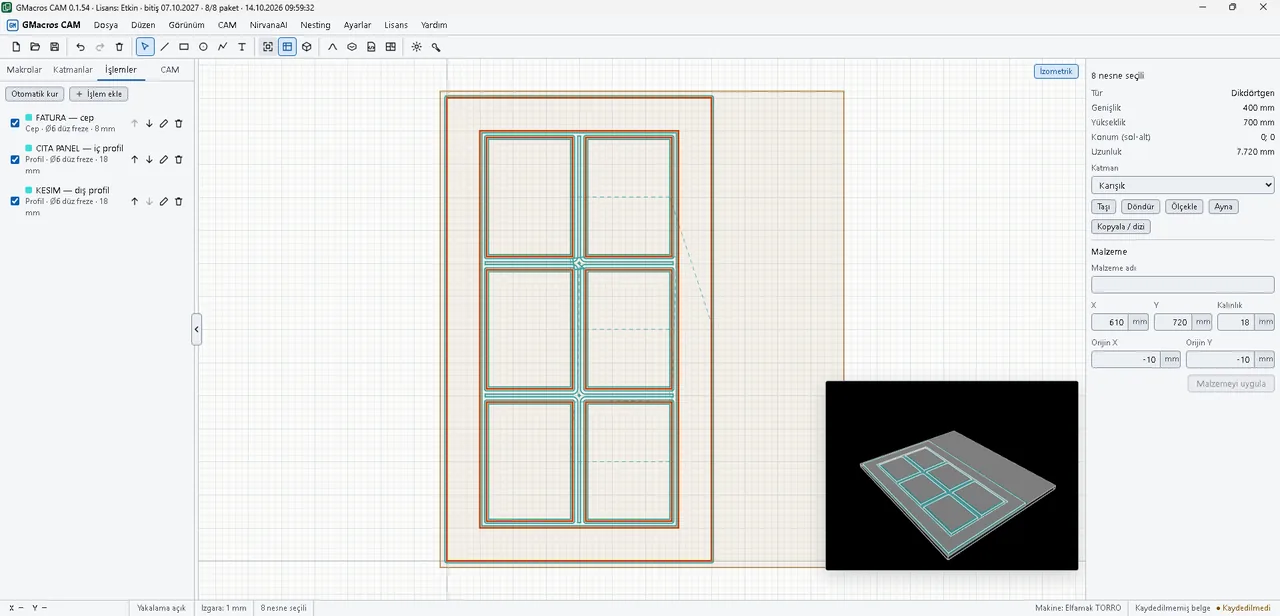
With GMacros CAM you create cabinet doors, doors, carcasses, 3D waves and decor by entering sizes, prepare relief models from a description with AI, and ask the assistant about cutting values and CNC questions. Operations and tools are set up automatically, you see the toolpath and 3D material removal on screen, and you save NC files your machine understands. No other CAM program needed.
GMacros CAM is in preparation — currently in beta. Download the application and try it with a 7-day trial licence; development is ongoing and some screens and features may change. Please send problems and suggestions via the contact page.
Everything in CAM, one license. The GMacros CAM license opens all of the following inside CAM:
- GMacros Araçlar — inside GMacros CAM
- GMacros Cabinet Door — inside GMacros CAM
- GMacros Door — inside GMacros CAM
- GMacros Cabinet — inside GMacros CAM
- GMacros 3D Wave Panel — inside GMacros CAM
- GMacros Decor — inside GMacros CAM
- GMacros Multi-Drill — GMacros CAM only
- NirvanaAI — 20 generations
To use the macros inside Alphacam, the GMacros Alphacam Package is sold separately.
- AI: relief models from a description, CNC assistant, cutting advisor
- Your macro packages open with your existing licenses
- One-click operation and tool setup
- Toolpath preview and 3D simulation
- Sheet nesting and NC output for your machine
USD prices are approximate (1 USD ≈ 49.22 TRY, 9 Oct 2026). Payment is charged in Turkish lira (TRY).
Our other products
Each add-in and macro package has its own page; you can try every one for free.
NirvanaAI
Describe a motif, the 3D relief model lands in your drawing.
3D Wave Panel
Wavy doors and wall panels from 50 ready patterns.
GMacros Decor
Baffle slats, kerf bending, separators and carving from a photo.
Other products
GMacros Tools, GMacros Cabinet Door, Door and Cabinet.
Referral discount: Enter the referral code of an existing GMacros customer during checkout and get 20% off your first order.
What our customers say
“Nirvana AI is a very useful tool for everyday tasks and creative brainstorming. It offers a simple and practical user experience.”
Ayaz C. - Lila MobilyaNirvana AI “Being able to do so many steps in one program, from furniture drawing to generating NC code, is a big advantage. I am looking forward to seeing how it develops.”
Sezer Y.GMacros CAM (beta) “Nirvana AI offers an interesting AI experience. It looks like a promising solution for saving time on daily tasks and generating new ideas.”
Çağlar B.Nirvana AI “A successful project that aims to make complex operations more practical. With new features it could become a much more powerful production tool.”
Umut K. - Aries cnc3D Wave Panel
Translated from Turkish.
AI
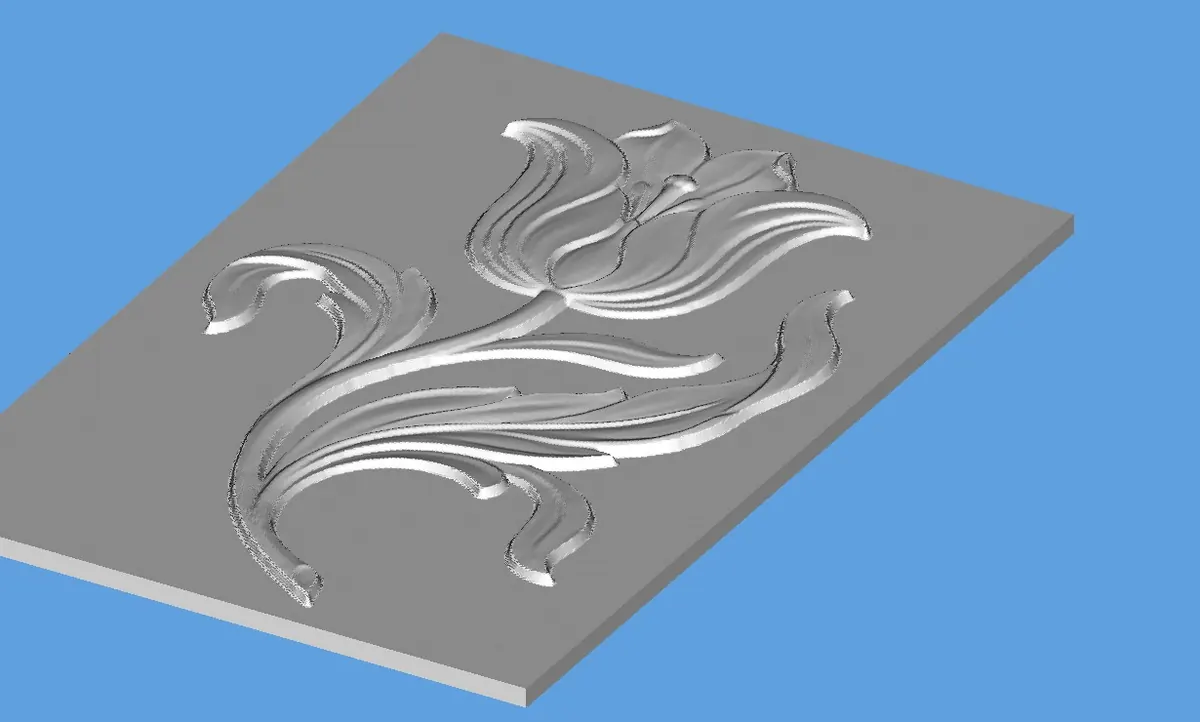
NirvanaAI: describe it, the relief model lands in your drawing
Describe the motif, e.g. "400x600 mm tulip motif relief panel". The model is prepared, added to your drawing and scaled to the size you need.
- No modelling program, no file moving or conversion
- 80+ ready example prompts
- Pay per generation; a failed generation uses no credit
- 2 free generations to try
3D surface
3D Wave Panel: wavy doors and wall panels
Pick one of 50 ready 3D patterns, enter the door sizes and carving depth; up to 20 doors are drawn in one go. The pattern carries on across doors placed side by side.
- Fabric, sand, water drop, carved wood, geometric: 5 categories
- Kitchen doors, wardrobes, wall and acoustic panels
- A cutting frame for every door
- 5 free uses to try
How do I start?
- 1
Try it free
Fill in the trial form; the trial key arrives by e-mail.
- 2
Buy
Create an account in the panel, pick the product, pay by card, PayPal or bank transfer.
- 3
Enter the key once
The license key arrives by e-mail. Enter it the first time you open the product; it is not asked again.
All details and questions: How it works & FAQ
Get started
Creating an account is free. Purchases, license keys, invoices and support in one panel.
Have a question? info@gmacros.com