 GMacros
 Alphacam Package
All GMacros macros and add-ins are added to Alphacam with a single installer, and one membership unlocks them all.
The installer is downloaded from the panel; you sign in to the program with your panel email and password.
1-year licence TRY 50,000 + VAT · Pricing
Pricing
| Term | Price (excl. VAT) |
|---|---|
| 1 year | TRY 50,000 + VAT |
| 2 years | TRY 100,000 + VAT |
| 3 years | TRY 150,000 + VAT |
| 4 years | TRY 200,000 + VAT |
| 5 years | TRY 250,000 + VAT |
| Perpetual | TRY 250,000 + VAT |
What is included in the price?
One membership, one installer: 7 add-ins with 45 tools in total inside Alphacam:
- GMacros Tools (8 tools), Cabinet Door (10), Door (3), Cabinet (9), 3D Wave Panel (5) and Decor (4)
- NirvanaAI (6 tools): 20 AI relief generations per membership year
- Alphacam 2019 R1 or later; an Alphacam licence is required separately
With every membership:
- All updates and new versions during the membership
- Installation and usage support by WhatsApp and email
- No licence key: you sign in with your panel email and password; each licence runs on one computer or device at a time
Prices are per licence; you need one licence for each device used at the same time. Pay by card, bank transfer or PayPal (in USD, at the exchange rate of the payment day); no instalments. A perpetual licence costs the same as 5 years.
- Card and bank transfer (TRY): 20% VAT is added and the invoice is issued with VAT. We charge no extra fee; your bank's currency, transaction and transfer charges are yours.
- PayPal (USD): no VAT is added; the price excluding VAT is converted to USD at the Central Bank of Turkey rate on the payment day and the PayPal transaction fee is added.
Download
A single Windows installer: all 7 add-ins are installed together. Get the installer with your panel account from the Downloads page and run it while Alphacam is closed.
Videos
Videos with English narration are coming soon. Turkish-narrated videos are on the Turkish tool guide.
How to use
- Sign up for free at panel.gmacros.com, or sign in.
- Download and run the single installer from the panel's Downloads page; all 7 add-ins are added to Alphacam together (Alphacam 2019 R1 and later).
- Open your first GMacros tool in Alphacam and sign in once with your panel email and password.
- The membership on your account activates automatically, every tool unlocks and the computer is linked to your account.
- If you have no membership, the tool says “Request a free trial”: once your request is approved, a 7-day trial is added to your account and you sign in without downloading again.
Features
- All macros and add-ins are added to Alphacam with one installer
- One membership unlocks them all; it starts on the day of purchase and works on one computer
- GMacros Tools, Cabinet Door, Door, Cabinet, 3D Wave Panel and Decor
- NirvanaAI: 20 generations per membership year
- 1 to 5-year or lifetime membership
- Alphacam 2019 R1 and later; an Alphacam licence is required separately
Tools
- GMacros ToolsMoulded, slatted, louvred and raised-panel doors; centring, direction change, arc measuring.
- GMacros Cabinet DoorPlain, framed and glass doors; hinge and handle holes, finger grooves.
- GMacros DoorInterior door hinge and lock pockets, door decoration.
- GMacros CabinetSized parts, shelf sets, System 32 holes, back panel groove, labels.
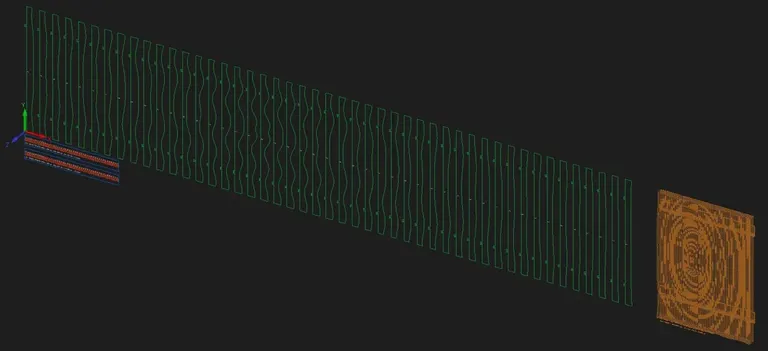
- GMacros 3D Wave PanelEnter the dimensions; the wavy 3D panel surface and toolpath are ready.
- GMacros DecorBaffle ceilings, kerf bending, separators and halftone patterns.
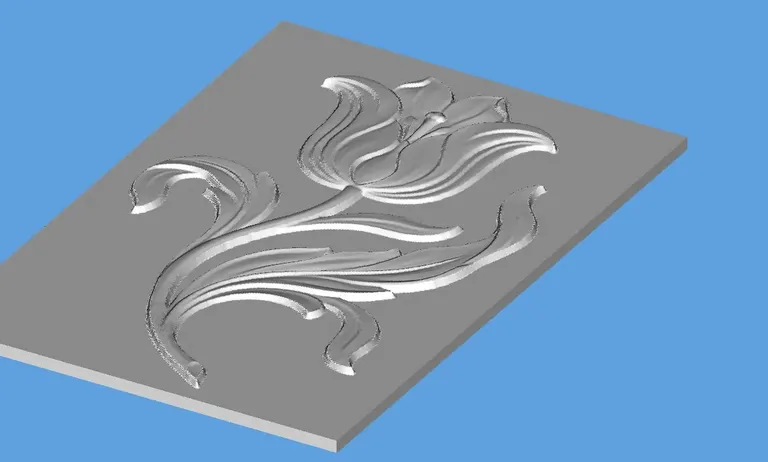
- NirvanaAIRelief models from your description or a photo; 20 generations per membership year.
The values and steps for every tool: tool guide.
FAQ
- Do I need an Alphacam licence?
- Yes. The package runs inside Alphacam; Alphacam 2019 R1 or later is required. For a standalone CAM application, have a look at GMacros CADCAM.
- Can I buy the macros in the package one by one?
- No. The macros and add-ins are sold only as the GMacros Alphacam Package; one membership unlocks them all.
- How do I activate my membership?
- The installer is downloaded from the panel; when you open your first GMacros tool in Alphacam you sign in once with your panel email and password and the membership activates automatically. The membership is linked to the computer you sign in on; to change computer or account, write to us.
- Does this membership work in GMacros CADCAM?
- No. The Alphacam package and GMacros CADCAM are two separate products with two separate memberships.
- How long is the trial?
- 7 days; all macros and add-ins are unlocked and you can make 3 NirvanaAI generations.